
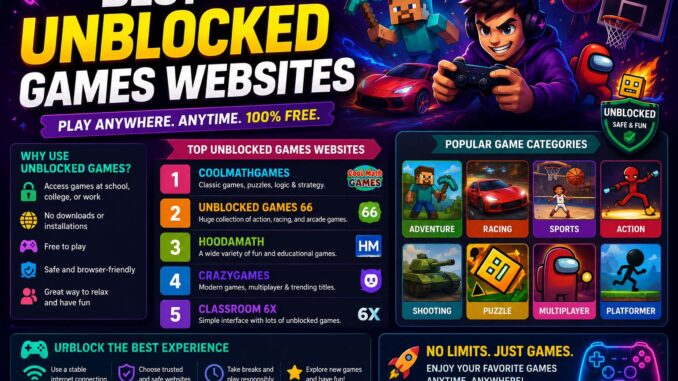
The best unblocked games websites offer quick access to browser-based games, including puzzles, racing challenges, platformers, and multiplayer adventures. Instead of installing large files, players can enjoy many titles directly through a modern web browser.
However, not every gaming portal provides the same experience. Some platforms focus on casual games, while others specialize in competitive multiplayer titles or independent game development.
Therefore, choosing a reliable website means considering game variety, loading speed, device compatibility, advertising, and online safety.
This guide compares popular browser gaming platforms, explains their strengths, and shares practical tips for finding enjoyable games. Above all, always follow your school, workplace, or network’s acceptable-use rules.
Best Unblocked Games Websites Compared
Several established browser gaming platforms offer large collections of games that work without traditional software installation.
However, whether a particular website is accessible depends on the restrictions of the network you’re using. No gaming website can guarantee access on every school or workplace network.
| Website | Best For | Main Features | Account Required |
|---|---|---|---|
| CrazyGames | Variety and multiplayer games | Large HTML5 library, racing, puzzles, action | Usually no |
| Poki | Casual browser gaming | Simple navigation, mobile-friendly titles | Usually no |
| Coolmath Games | Logic and strategy games | Puzzles, skill games, strategy | Usually no |
| itch.io | Independent browser games | Creative projects, experimental games | Often no |
| Y8 | Arcade and multiplayer gaming | Action, sports, racing, multiplayer | Depends on game |
| Newgrounds | Independent and creative games | Community-made browser games | Often no |
| Kongregate | Browser gaming collections | Arcade, strategy, and casual titles | Depends on game |
These websites offer different experiences, and their game catalogs or account requirements can change.
Therefore, choose a platform based on the games you enjoy rather than assuming every website works on every network.
1. CrazyGames: Best for Variety and Multiplayer Browser Games
CrazyGames is a popular browser gaming platform with titles across several genres.
For example, players can explore:
- Racing games
- Multiplayer challenges
- Puzzle games
- Shooting games
- Simulation games
- Sports games
In addition, many titles run directly in modern browsers without separate installations.
Why Choose CrazyGames for Unblocked Browser Games?
CrazyGames may suit players who enjoy switching between different genres.
Its broad selection also makes it useful for discovering unfamiliar titles.
However, individual games may have different performance requirements, particularly those with advanced 3D graphics.
2. Poki: Best for Quick and Casual Unblocked Games
Poki focuses on accessible browser gaming with straightforward navigation.
As a result, players can often find casual games without spending much time learning complicated menus.
Popular categories include:
- Arcade games
- Puzzle challenges
- Platform games
- Racing games
- Multiplayer games
Why Choose Poki for Online Browser Games?
Poki may appeal to players who prefer short gaming sessions.
In addition, many games support simple controls and work on mobile devices.
However, touchscreen compatibility depends on the individual title.
3. Coolmath Games: Best for Puzzle and Strategy Fans
Coolmath Games is known for browser games involving logic, problem-solving, and timing.
Despite its name, the platform includes more than traditional mathematics activities.
For example, its collection features:
- Logic puzzles
- Strategy challenges
- Skill-based games
- Platform adventures
- Casual arcade titles
Why Choose Coolmath Games for Browser Gaming?
This platform may suit players who enjoy thinking through challenges rather than focusing only on fast reactions.
However, not every game has an educational purpose.
Therefore, choose individual titles based on their gameplay and suitability.
4. itch.io: Best for Independent Browser Games
itch.io is a platform where independent developers share creative gaming projects.
Although many games require downloads, some are playable directly in the browser.
For example, browser-based titles may include:
- Short adventure games
- Experimental puzzle games
- Interactive stories
- Retro-style platformers
- Small multiplayer projects
Why Choose itch.io for Free Browser Games?
The platform offers opportunities to discover unusual games from independent creators.
In addition, some projects experiment with mechanics that differ from mainstream gaming.
However, check each game’s page before playing because browser support, age suitability, and download requirements vary.
5. Y8: Best for Arcade and Multiplayer Unblocked Games
Y8 provides a broad selection of browser games across multiple categories.
For example, its collection includes:
- Action games
- Racing challenges
- Sports games
- Puzzle games
- Multiplayer experiences
Why Choose Y8 for Online Gaming?
Y8 may appeal to players who enjoy traditional arcade-style gaming.
In addition, its variety allows users to explore different genres without committing to one game.
However, multiplayer availability and account requirements depend on the specific title.
6. Newgrounds: Best for Creative Community Browser Games
Newgrounds has a long history of hosting independent games and interactive entertainment.
Its community-focused approach makes it different from conventional browser gaming portals.
Players can discover:
- Creative platformers
- Puzzle games
- Arcade challenges
- Interactive stories
- Experimental projects
Why Choose Newgrounds?
Newgrounds may suit players who appreciate independent creators and unusual game concepts.
However, some content targets mature audiences.
Therefore, review game ratings and descriptions before playing.
7. Kongregate: Best for Exploring Browser Game Collections
Kongregate is another established name in online gaming.
Its historical catalog includes arcade, strategy, and casual games.
However, the platform and its available game collection have changed over time.
Why Consider Kongregate for Browser Games?
Players interested in browser gaming history or particular titles may find it worth exploring.
Nevertheless, check current browser compatibility before assuming older games will work.
What Makes the Best Unblocked Games Websites Worth Using?
A good browser gaming platform should provide more than a large number of games.
Instead, focus on features that improve usability, performance, and safety.
Fast Loading and Smooth Browser Game Performance
Long loading times can interrupt short gaming sessions.
Therefore, websites that optimize their games and page resources offer a more convenient experience.
However, your internet connection and device performance also affect loading speed.
Large and Varied Unblocked Game Libraries
A diverse catalog allows players to explore different genres.
For example, a platform offering puzzles, racing, strategy, and multiplayer games can appeal to several gaming preferences.
Mobile-Friendly Browser Games
Many players now use smartphones and tablets for casual gaming.
As a result, responsive websites and touchscreen-compatible games can improve accessibility.
However, not every browser game supports mobile controls.
Clear Navigation and Game Search Tools
Useful search tools help players discover games quickly.
In addition, categories, filters, and recommendations can reduce the time spent browsing.
Safe Unblocked Gaming Websites and Advertising
Some free gaming websites rely on advertising.
However, excessive pop-ups, misleading download buttons, and suspicious redirects can create a poor experience.
Therefore, prioritize reputable platforms and avoid unfamiliar downloads.
Popular Game Categories on Unblocked Gaming Websites
Browser gaming platforms usually offer several genres.
Consequently, players can choose games based on their interests and available time.
Unblocked Puzzle Games
Puzzle games reward problem-solving and careful thinking.
Popular styles include:
- Logic puzzles
- Match-three challenges
- Physics-based games
- Word games
- Pattern recognition
For example, a short puzzle can provide entertainment during an approved break.
Browser Platform Games
Platformers emphasize movement, timing, and obstacle avoidance.
Common features include:
- Jumping challenges
- Hidden collectibles
- Moving obstacles
- Increasingly difficult levels
As a result, players often improve through practice and repetition.
Online Racing Games
Browser racing games range from simple arcade challenges to more detailed driving simulations.
For example, some include:
- Time trials
- Vehicle upgrades
- Multiplayer races
- Obstacle courses
However, graphics quality and controls vary between titles.
Unblocked Strategy Games
Strategy games focus on planning and decision-making.
Popular styles include:
- Tower defense
- Resource management
- City building
- Tactical challenges
Therefore, these games may appeal to players who prefer thoughtful gameplay.
Multiplayer Browser Games
Multiplayer games allow players to compete or cooperate online.
Common modes include:
- Team battles
- Arena competitions
- Cooperative missions
- Survival challenges
However, multiplayer games may require a stable connection or additional account features.
Best Unblocked Games Websites for 2026
When comparing browser gaming websites in 2026, prioritize reliable platforms over temporary rankings.
A useful gaming portal should offer:
- Active maintenance
- Modern browser compatibility
- Responsive navigation
- Regular game additions
- Clear game descriptions
- Appropriate safety features
For example, websites that continue supporting modern HTML5 games are generally more practical than collections dependent on discontinued browser plugins.
In addition, players interested in broader gaming trends can explore our guide to the best games of 2026 for more gaming recommendations beyond browser-based titles.
However, browser gaming websites and downloadable game rankings serve different purposes.
What About Unblocked Gaming Websites in 2027?
Some players already search for the best unblocked games websites for 2027.
However, future availability cannot be guaranteed because platforms, browser requirements, and network policies can change.
Instead of predicting specific rankings, focus on qualities that remain useful over time.
These include:
- Consistent maintenance
- Strong browser compatibility
- Mobile support
- Safe navigation
- A varied game library
Therefore, a well-maintained gaming website is generally a more reliable choice than a temporary mirror or unfamiliar gaming domain.
Best Unblocked Games Websites for School
Students sometimes search for browser gaming websites that work on school computers.
However, a website’s accessibility depends on the school’s network settings and acceptable-use policies.
A gaming website being accessible does not automatically mean students have permission to use it.
Therefore, only play on school devices or networks when gaming is allowed.
Choosing Suitable Unblocked Games for School Breaks
When your school permits browser gaming, consider games that offer:
- Short sessions
- Simple controls
- No required downloads
- Age-appropriate content
- Quick loading
- Easy pause or exit options
For example, puzzle and logic games may suit short breaks better than lengthy multiplayer matches.
In addition, our article about unblocked games at school explains how students can approach browser gaming responsibly during permitted breaks.
Similarly, students looking for more age-appropriate entertainment ideas can explore fun games to play at school when planning activities for approved free time.
Benefits of Browser Gaming Websites
Browser gaming remains popular because it offers convenient access to many types of entertainment.
No Large Game Downloads for Browser Games
Many browser games load directly through a website.
As a result, players can try different titles without installing traditional game packages.
However, browser games still download data temporarily to run.
Browser Game Compatibility With Older Computers
Some lightweight HTML5 games work well on modest hardware.
Therefore, players may not need a dedicated gaming computer for simple puzzles or arcade games.
However, advanced browser games can still require powerful hardware.
Easy Browser Game Discovery
Browser platforms allow players to switch between genres quickly.
For example, someone can try a racing game and then move to a puzzle without installing separate applications.
Convenient Casual Gaming
Many browser games support short sessions.
Consequently, they can fit into permitted breaks or relaxed gaming time at home.
Beginner Tips for Unblocked Browser Gaming
If you’re new to browser gaming, a few simple habits can improve your experience.
First, start with games that have straightforward controls.
Next, explore different genres to discover what you enjoy.
Then, bookmark your favorite websites or games for convenient access.
In addition, use a stable internet connection when playing online multiplayer titles.
Finally, close unnecessary browser tabs if your device begins slowing down.
These habits can make gaming more comfortable without requiring complicated technical changes.
Advanced Tips for Better Browser Gaming Performance
Experienced browser gamers can sometimes improve performance by adjusting their device settings.
Keep Your Gaming Browser Updated
Modern browsers receive compatibility, security, and performance improvements.
Therefore, installing official updates can help games run more reliably.
Review Hardware Acceleration for Browser Games
Hardware acceleration allows supported browsers to use graphics hardware for certain tasks.
As a result, it may improve performance in some graphics-intensive games.
However, the effect depends on your browser, graphics drivers, and device.
Update Graphics Drivers
Outdated graphics drivers can sometimes contribute to visual problems.
Therefore, desktop users may benefit from installing appropriate updates from their device or graphics hardware manufacturer.
Reduce Background Applications
Running several demanding applications can consume system resources.
Consequently, closing unnecessary programs may improve gaming performance.
However, avoid disabling important security software simply to increase frame rates.
Common Browser Game Problems and Fixes
Even reliable gaming platforms occasionally experience technical problems.
Fortunately, many issues have straightforward solutions.
Browser Game Won’t Load
If a game fails to start, try these steps:
- Refresh the page.
- Check your internet connection.
- Update your browser.
- Restart the browser.
- Clear the relevant site’s cached data if necessary.
However, clearing site data may remove locally stored progress.
Therefore, check whether the game saves progress online before deleting browser data.
Slow Browser Game Performance
If gameplay becomes sluggish, try:
- Closing unnecessary tabs
- Reducing background applications
- Updating your browser
- Checking device temperature
- Reviewing graphics settings
In addition, some games provide lower-quality graphics options that may improve performance.
Browser Game Audio Problems
If sound stops working, check:
- Device volume
- Browser tab mute settings
- Game audio controls
- Browser permissions
- Connected headphones or speakers
For example, an accidentally muted browser tab can make a game appear to have an audio problem.
Staying Safe on Unblocked Gaming Websites
Online safety matters just as much as gameplay.
Although many browser gaming platforms are legitimate, unfamiliar websites can expose users to misleading advertising or suspicious downloads.
Therefore, follow these precautions:
- Use established gaming platforms.
- Avoid unknown executable downloads.
- Never share passwords with other players.
- Review website permissions carefully.
- Keep your browser and operating system updated.
- Avoid suspicious pop-ups.
- Do not enter personal information unnecessarily.
- Follow your network’s acceptable-use policies.
In addition, younger players should choose age-appropriate games and use suitable privacy settings.
Avoid Misleading Game Download Buttons
Some advertisements resemble game download buttons.
However, a legitimate browser game generally should not require an unrelated executable file.
Therefore, avoid clicking unfamiliar installation prompts.
Protect Your Browser Gaming Accounts
If a platform requires an account, use a strong password.
In addition, enable available account security features.
Never share login details through in-game chat or unfamiliar websites.
Browser Games vs. Downloadable Games
Both browser-based and downloadable games have advantages.
However, they suit different preferences and hardware requirements.
| Feature | Browser Games | Downloadable Games |
|---|---|---|
| Installation | Usually no traditional installation | Usually required |
| Access | Through a compatible browser | Through an app or launcher |
| Storage requirements | Often lower | Can be substantial |
| Graphics | Varies by title | Can support advanced graphics |
| Internet requirements | Often required | Some support offline play |
| Casual gaming | Convenient | Depends on the game |
| Updates | Often handled through the website | Usually managed through an app or launcher |
For example, browser games may suit players who want immediate access to casual entertainment.
On the other hand, downloadable games may offer larger worlds, advanced graphics, and more extensive offline features.
Therefore, the better option depends on your gaming preferences.
Why HTML5 Browser Games Became Popular
Older browser games often depended on plugins such as Adobe Flash.
However, modern web technologies allow developers to create interactive games without those discontinued plugins.
HTML5, JavaScript, WebGL, and related browser technologies support a wide range of gaming experiences.
For example, developers can build:
- Two-dimensional arcade games
- Puzzle challenges
- Interactive simulations
- Three-dimensional environments
- Multiplayer experiences
The MDN Web Docs guide to developing web games explains the technologies and development approaches behind modern browser gaming.
As a result, players can access many games through current browsers without installing separate legacy plugins.
How to Find Unblocked Browser Games You’ll Enjoy
Rather than choosing games only because they are popular, explore several genres.
For example, you might discover new favorites among:
- Puzzle games
- Racing games
- Adventure games
- Strategy games
- Idle games
- Sports games
- Simulation games
- Multiplayer games
In addition, read game descriptions and check control instructions before starting.
If a title doesn’t suit your preferences, try another category.
Therefore, experimenting with different games can make browser gaming more enjoyable.
Frequently Asked Questions About Unblocked Games Websites
What Are the Best Unblocked Games Websites?
Popular browser gaming platforms include CrazyGames, Poki, Coolmath Games, itch.io, Y8, Newgrounds, and Kongregate.
However, each platform offers different games and features.
In addition, access depends on the network you’re using.
Are Browser Games Free?
Many browser games are free to play.
However, some platforms include advertisements, optional purchases, or paid content.
Therefore, review the game’s pricing information before playing.
Do Browser Games Require Downloads?
Most modern HTML5 games do not require traditional software installation.
However, your browser still downloads game resources temporarily.
Some websites also offer optional downloadable versions.
Can I Play Browser Games on Mobile?
Yes. Many modern browser games support smartphones and tablets.
However, not every game works well with touchscreen controls.
Therefore, check mobile compatibility before starting.
Are Unblocked Gaming Websites Safe?
Safety depends on the website and its content.
Established platforms may offer a better experience than unfamiliar gaming mirrors, but no website is completely risk-free.
Therefore, keep your browser updated and avoid suspicious downloads.
Can I Play Unblocked Games at School?
Only when your school’s rules permit gaming.
Although some websites may be accessible, network availability does not automatically mean gaming is allowed.
Therefore, follow school policies and use approved entertainment options.
How Can I Improve Browser Gaming Performance?
Start by updating your browser and closing unnecessary applications.
In addition, check your internet connection and review graphics settings.
If problems continue, try another compatible browser or investigate device limitations.
What Types of Browser Games Are Best for Beginners?
Puzzle games, simple platformers, and casual arcade titles are often beginner-friendly.
For example, games with short levels and clear instructions allow new players to learn gradually.
However, the best choice depends on personal interests.
Final Thoughts on the Best Unblocked Games Websites
The best unblocked games websites provide enjoyable browser gaming through accessible controls, reliable performance, varied game libraries, and responsible website practices.
Platforms such as CrazyGames, Poki, Coolmath Games, itch.io, Y8, Newgrounds, and Kongregate offer different experiences for casual and experienced players.
However, no platform guarantees access on every network, and availability can change.
Therefore, choose reputable websites, explore different genres, and follow the rules of the network you’re using.
With the right platform and sensible browsing habits, HTML5 gaming can provide convenient entertainment across desktops, laptops, tablets, and smartphones.The best unblocked games websites offer quick access to browser-based games, including puzzles, racing challenges, platformers, and multiplayer adventures. Instead of installing large files, players can enjoy many titles directly through a modern web browser.
However, not every gaming portal provides the same experience. Some platforms focus on casual games, while others specialize in competitive multiplayer titles or independent game development.
Therefore, choosing a reliable website means considering game variety, loading speed, device compatibility, advertising, and online safety.
This guide compares popular browser gaming platforms, explains their strengths, and shares practical tips for finding enjoyable games. Above all, always follow your school, workplace, or network’s acceptable-use rules.
Best Unblocked Games Websites Compared
Several established browser gaming platforms offer large collections of games that work without traditional software installation.
However, whether a particular website is accessible depends on the restrictions of the network you’re using. No gaming website can guarantee access on every school or workplace network.
| Website | Best For | Main Features | Account Required |
|---|---|---|---|
| CrazyGames | Variety and multiplayer games | Large HTML5 library, racing, puzzles, action | Usually no |
| Poki | Casual browser gaming | Simple navigation, mobile-friendly titles | Usually no |
| Coolmath Games | Logic and strategy games | Puzzles, skill games, strategy | Usually no |
| itch.io | Independent browser games | Creative projects, experimental games | Often no |
| Y8 | Arcade and multiplayer gaming | Action, sports, racing, multiplayer | Depends on game |
| Newgrounds | Independent and creative games | Community-made browser games | Often no |
| Kongregate | Browser gaming collections | Arcade, strategy, and casual titles | Depends on game |
These websites offer different experiences, and their game catalogs or account requirements can change.
Therefore, choose a platform based on the games you enjoy rather than assuming every website works on every network.
1. CrazyGames: Best for Variety and Multiplayer Browser Games
CrazyGames is a popular browser gaming platform with titles across several genres.
For example, players can explore:
- Racing games
- Multiplayer challenges
- Puzzle games
- Shooting games
- Simulation games
- Sports games
In addition, many titles run directly in modern browsers without separate installations.
Why Choose CrazyGames for Unblocked Browser Games?
CrazyGames may suit players who enjoy switching between different genres.
Its broad selection also makes it useful for discovering unfamiliar titles.
However, individual games may have different performance requirements, particularly those with advanced 3D graphics.
2. Poki: Best for Quick and Casual Unblocked Games
Poki focuses on accessible browser gaming with straightforward navigation.
As a result, players can often find casual games without spending much time learning complicated menus.
Popular categories include:
- Arcade games
- Puzzle challenges
- Platform games
- Racing games
- Multiplayer games
Why Choose Poki for Online Browser Games?
Poki may appeal to players who prefer short gaming sessions.
In addition, many games support simple controls and work on mobile devices.
However, touchscreen compatibility depends on the individual title.
3. Coolmath Games: Best for Puzzle and Strategy Fans
Coolmath Games is known for browser games involving logic, problem-solving, and timing.
Despite its name, the platform includes more than traditional mathematics activities.
For example, its collection features:
- Logic puzzles
- Strategy challenges
- Skill-based games
- Platform adventures
- Casual arcade titles
Why Choose Coolmath Games for Browser Gaming?
This platform may suit players who enjoy thinking through challenges rather than focusing only on fast reactions.
However, not every game has an educational purpose.
Therefore, choose individual titles based on their gameplay and suitability.
4. itch.io: Best for Independent Browser Games
itch.io is a platform where independent developers share creative gaming projects.
Although many games require downloads, some are playable directly in the browser.
For example, browser-based titles may include:
- Short adventure games
- Experimental puzzle games
- Interactive stories
- Retro-style platformers
- Small multiplayer projects
Why Choose itch.io for Free Browser Games?
The platform offers opportunities to discover unusual games from independent creators.
In addition, some projects experiment with mechanics that differ from mainstream gaming.
However, check each game’s page before playing because browser support, age suitability, and download requirements vary.
5. Y8: Best for Arcade and Multiplayer Unblocked Games
Y8 provides a broad selection of browser games across multiple categories.
For example, its collection includes:
- Action games
- Racing challenges
- Sports games
- Puzzle games
- Multiplayer experiences
Why Choose Y8 for Online Gaming?
Y8 may appeal to players who enjoy traditional arcade-style gaming.
In addition, its variety allows users to explore different genres without committing to one game.
However, multiplayer availability and account requirements depend on the specific title.
6. Newgrounds: Best for Creative Community Browser Games
Newgrounds has a long history of hosting independent games and interactive entertainment.
Its community-focused approach makes it different from conventional browser gaming portals.
Players can discover:
- Creative platformers
- Puzzle games
- Arcade challenges
- Interactive stories
- Experimental projects
Why Choose Newgrounds?
Newgrounds may suit players who appreciate independent creators and unusual game concepts.
However, some content targets mature audiences.
Therefore, review game ratings and descriptions before playing.
7. Kongregate: Best for Exploring Browser Game Collections
Kongregate is another established name in online gaming.
Its historical catalog includes arcade, strategy, and casual games.
However, the platform and its available game collection have changed over time.
Why Consider Kongregate for Browser Games?
Players interested in browser gaming history or particular titles may find it worth exploring.
Nevertheless, check current browser compatibility before assuming older games will work.
What Makes the Best Unblocked Games Websites Worth Using?
A good browser gaming platform should provide more than a large number of games.
Instead, focus on features that improve usability, performance, and safety.
Fast Loading and Smooth Browser Game Performance
Long loading times can interrupt short gaming sessions.
Therefore, websites that optimize their games and page resources offer a more convenient experience.
However, your internet connection and device performance also affect loading speed.
Large and Varied Unblocked Game Libraries
A diverse catalog allows players to explore different genres.
For example, a platform offering puzzles, racing, strategy, and multiplayer games can appeal to several gaming preferences.
Mobile-Friendly Browser Games
Many players now use smartphones and tablets for casual gaming.
As a result, responsive websites and touchscreen-compatible games can improve accessibility.
However, not every browser game supports mobile controls.
Clear Navigation and Game Search Tools
Useful search tools help players discover games quickly.
In addition, categories, filters, and recommendations can reduce the time spent browsing.
Safe Unblocked Gaming Websites and Advertising
Some free gaming websites rely on advertising.
However, excessive pop-ups, misleading download buttons, and suspicious redirects can create a poor experience.
Therefore, prioritize reputable platforms and avoid unfamiliar downloads.
Popular Game Categories on Unblocked Gaming Websites
Browser gaming platforms usually offer several genres.
Consequently, players can choose games based on their interests and available time.
Unblocked Puzzle Games
Puzzle games reward problem-solving and careful thinking.
Popular styles include:
- Logic puzzles
- Match-three challenges
- Physics-based games
- Word games
- Pattern recognition
For example, a short puzzle can provide entertainment during an approved break.
Browser Platform Games
Platformers emphasize movement, timing, and obstacle avoidance.
Common features include:
- Jumping challenges
- Hidden collectibles
- Moving obstacles
- Increasingly difficult levels
As a result, players often improve through practice and repetition.
Online Racing Games
Browser racing games range from simple arcade challenges to more detailed driving simulations.
For example, some include:
- Time trials
- Vehicle upgrades
- Multiplayer races
- Obstacle courses
However, graphics quality and controls vary between titles.
Unblocked Strategy Games
Strategy games focus on planning and decision-making.
Popular styles include:
- Tower defense
- Resource management
- City building
- Tactical challenges
Therefore, these games may appeal to players who prefer thoughtful gameplay.
Multiplayer Browser Games
Multiplayer games allow players to compete or cooperate online.
Common modes include:
- Team battles
- Arena competitions
- Cooperative missions
- Survival challenges
However, multiplayer games may require a stable connection or additional account features.
Best Unblocked Games Websites for 2026
When comparing browser gaming websites in 2026, prioritize reliable platforms over temporary rankings.
A useful gaming portal should offer:
- Active maintenance
- Modern browser compatibility
- Responsive navigation
- Regular game additions
- Clear game descriptions
- Appropriate safety features
For example, websites that continue supporting modern HTML5 games are generally more practical than collections dependent on discontinued browser plugins.
In addition, players interested in broader gaming trends can explore our guide to the best games of 2026 for more gaming recommendations beyond browser-based titles.
However, browser gaming websites and downloadable game rankings serve different purposes.
What About Unblocked Gaming Websites in 2027?
Some players already search for the best unblocked games websites for 2027.
However, future availability cannot be guaranteed because platforms, browser requirements, and network policies can change.
Instead of predicting specific rankings, focus on qualities that remain useful over time.
These include:
- Consistent maintenance
- Strong browser compatibility
- Mobile support
- Safe navigation
- A varied game library
Therefore, a well-maintained gaming website is generally a more reliable choice than a temporary mirror or unfamiliar gaming domain.
Best Unblocked Games Websites for School
Students sometimes search for browser gaming websites that work on school computers.
However, a website’s accessibility depends on the school’s network settings and acceptable-use policies.
A gaming website being accessible does not automatically mean students have permission to use it.
Therefore, only play on school devices or networks when gaming is allowed.
Choosing Suitable Unblocked Games for School Breaks
When your school permits browser gaming, consider games that offer:
- Short sessions
- Simple controls
- No required downloads
- Age-appropriate content
- Quick loading
- Easy pause or exit options
For example, puzzle and logic games may suit short breaks better than lengthy multiplayer matches.
In addition, our article about unblocked games at school explains how students can approach browser gaming responsibly during permitted breaks.
Similarly, students looking for more age-appropriate entertainment ideas can explore fun games to play at school when planning activities for approved free time.
Benefits of Browser Gaming Websites
Browser gaming remains popular because it offers convenient access to many types of entertainment.
No Large Game Downloads for Browser Games
Many browser games load directly through a website.
As a result, players can try different titles without installing traditional game packages.
However, browser games still download data temporarily to run.
Browser Game Compatibility With Older Computers
Some lightweight HTML5 games work well on modest hardware.
Therefore, players may not need a dedicated gaming computer for simple puzzles or arcade games.
However, advanced browser games can still require powerful hardware.
Easy Browser Game Discovery
Browser platforms allow players to switch between genres quickly.
For example, someone can try a racing game and then move to a puzzle without installing separate applications.
Convenient Casual Gaming
Many browser games support short sessions.
Consequently, they can fit into permitted breaks or relaxed gaming time at home.
Beginner Tips for Unblocked Browser Gaming
If you’re new to browser gaming, a few simple habits can improve your experience.
First, start with games that have straightforward controls.
Next, explore different genres to discover what you enjoy.
Then, bookmark your favorite websites or games for convenient access.
In addition, use a stable internet connection when playing online multiplayer titles.
Finally, close unnecessary browser tabs if your device begins slowing down.
These habits can make gaming more comfortable without requiring complicated technical changes.
Advanced Tips for Better Browser Gaming Performance
Experienced browser gamers can sometimes improve performance by adjusting their device settings.
Keep Your Gaming Browser Updated
Modern browsers receive compatibility, security, and performance improvements.
Therefore, installing official updates can help games run more reliably.
Review Hardware Acceleration for Browser Games
Hardware acceleration allows supported browsers to use graphics hardware for certain tasks.
As a result, it may improve performance in some graphics-intensive games.
However, the effect depends on your browser, graphics drivers, and device.
Update Graphics Drivers
Outdated graphics drivers can sometimes contribute to visual problems.
Therefore, desktop users may benefit from installing appropriate updates from their device or graphics hardware manufacturer.
Reduce Background Applications
Running several demanding applications can consume system resources.
Consequently, closing unnecessary programs may improve gaming performance.
However, avoid disabling important security software simply to increase frame rates.
Common Browser Game Problems and Fixes
Even reliable gaming platforms occasionally experience technical problems.
Fortunately, many issues have straightforward solutions.
Browser Game Won’t Load
If a game fails to start, try these steps:
- Refresh the page.
- Check your internet connection.
- Update your browser.
- Restart the browser.
- Clear the relevant site’s cached data if necessary.
However, clearing site data may remove locally stored progress.
Therefore, check whether the game saves progress online before deleting browser data.
Slow Browser Game Performance
If gameplay becomes sluggish, try:
- Closing unnecessary tabs
- Reducing background applications
- Updating your browser
- Checking device temperature
- Reviewing graphics settings
In addition, some games provide lower-quality graphics options that may improve performance.
Browser Game Audio Problems
If sound stops working, check:
- Device volume
- Browser tab mute settings
- Game audio controls
- Browser permissions
- Connected headphones or speakers
For example, an accidentally muted browser tab can make a game appear to have an audio problem.
Staying Safe on Unblocked Gaming Websites
Online safety matters just as much as gameplay.
Although many browser gaming platforms are legitimate, unfamiliar websites can expose users to misleading advertising or suspicious downloads.
Therefore, follow these precautions:
- Use established gaming platforms.
- Avoid unknown executable downloads.
- Never share passwords with other players.
- Review website permissions carefully.
- Keep your browser and operating system updated.
- Avoid suspicious pop-ups.
- Do not enter personal information unnecessarily.
- Follow your network’s acceptable-use policies.
In addition, younger players should choose age-appropriate games and use suitable privacy settings.
Avoid Misleading Game Download Buttons
Some advertisements resemble game download buttons.
However, a legitimate browser game generally should not require an unrelated executable file.
Therefore, avoid clicking unfamiliar installation prompts.
Protect Your Browser Gaming Accounts
If a platform requires an account, use a strong password.
In addition, enable available account security features.
Never share login details through in-game chat or unfamiliar websites.
Browser Games vs. Downloadable Games
Both browser-based and downloadable games have advantages.
However, they suit different preferences and hardware requirements.
| Feature | Browser Games | Downloadable Games |
|---|---|---|
| Installation | Usually no traditional installation | Usually required |
| Access | Through a compatible browser | Through an app or launcher |
| Storage requirements | Often lower | Can be substantial |
| Graphics | Varies by title | Can support advanced graphics |
| Internet requirements | Often required | Some support offline play |
| Casual gaming | Convenient | Depends on the game |
| Updates | Often handled through the website | Usually managed through an app or launcher |
For example, browser games may suit players who want immediate access to casual entertainment.
On the other hand, downloadable games may offer larger worlds, advanced graphics, and more extensive offline features.
Therefore, the better option depends on your gaming preferences.
Why HTML5 Browser Games Became Popular
Older browser games often depended on plugins such as Adobe Flash.
However, modern web technologies allow developers to create interactive games without those discontinued plugins.
HTML5, JavaScript, WebGL, and related browser technologies support a wide range of gaming experiences.
For example, developers can build:
- Two-dimensional arcade games
- Puzzle challenges
- Interactive simulations
- Three-dimensional environments
- Multiplayer experiences
The MDN Web Docs guide to developing web games explains the technologies and development approaches behind modern browser gaming.
As a result, players can access many games through current browsers without installing separate legacy plugins.
How to Find Unblocked Browser Games You’ll Enjoy
Rather than choosing games only because they are popular, explore several genres.
For example, you might discover new favorites among:
- Puzzle games
- Racing games
- Adventure games
- Strategy games
- Idle games
- Sports games
- Simulation games
- Multiplayer games
In addition, read game descriptions and check control instructions before starting.
If a title doesn’t suit your preferences, try another category.
Therefore, experimenting with different games can make browser gaming more enjoyable.
Frequently Asked Questions About Unblocked Games Websites
What Are the Best Unblocked Games Websites?
Popular browser gaming platforms include CrazyGames, Poki, Coolmath Games, itch.io, Y8, Newgrounds, and Kongregate.
However, each platform offers different games and features.
In addition, access depends on the network you’re using.
Are Browser Games Free?
Many browser games are free to play.
However, some platforms include advertisements, optional purchases, or paid content.
Therefore, review the game’s pricing information before playing.
Do Browser Games Require Downloads?
Most modern HTML5 games do not require traditional software installation.
However, your browser still downloads game resources temporarily.
Some websites also offer optional downloadable versions.
Can I Play Browser Games on Mobile?
Yes. Many modern browser games support smartphones and tablets.
However, not every game works well with touchscreen controls.
Therefore, check mobile compatibility before starting.
Are Unblocked Gaming Websites Safe?
Safety depends on the website and its content.
Established platforms may offer a better experience than unfamiliar gaming mirrors, but no website is completely risk-free.
Therefore, keep your browser updated and avoid suspicious downloads.
Can I Play Unblocked Games at School?
Only when your school’s rules permit gaming.
Although some websites may be accessible, network availability does not automatically mean gaming is allowed.
Therefore, follow school policies and use approved entertainment options.
How Can I Improve Browser Gaming Performance?
Start by updating your browser and closing unnecessary applications.
In addition, check your internet connection and review graphics settings.
If problems continue, try another compatible browser or investigate device limitations.
What Types of Browser Games Are Best for Beginners?
Puzzle games, simple platformers, and casual arcade titles are often beginner-friendly.
For example, games with short levels and clear instructions allow new players to learn gradually.
However, the best choice depends on personal interests.
Final Thoughts on the Best Unblocked Games Websites
The best unblocked games websites provide enjoyable browser gaming through accessible controls, reliable performance, varied game libraries, and responsible website practices.
Platforms such as CrazyGames, Poki, Coolmath Games, itch.io, Y8, Newgrounds, and Kongregate offer different experiences for casual and experienced players.
However, no platform guarantees access on every network, and availability can change.
Therefore, choose reputable websites, explore different genres, and follow the rules of the network you’re using.
With the right platform and sensible browsing habits, HTML5 gaming can provide convenient entertainment across desktops, laptops, tablets, and smartphones.